
Adding a router cooling fan can improve airflow and help remove heat, providing additional airflow can help manage heat, but effective cooling requires more than simply installing a fan. Airflow, static pressure, airflow direction, enclosure design, component placement, and available space all influence cooling performance. Selecting the right router cooling fan therefore requires matching the fan’s electrical and airflow characteristics to the equipment and its operating conditions. This post covers common fan types, airflow requirements, voltage options, and key selection factors to help equipment manufacturers choose an appropriate cooling solution for routers, switches, and other network equipment.
Router Cooling Fans vs. Router Coolers: What's the Difference?
The terms router cooling fan and router cooler are often used interchangeably in consumer searches, but they can describe different things.
-
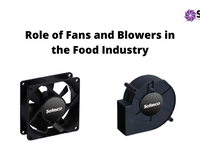
Router cooling fan: A fan used to move air through or around networking equipment. Common types include DC axial fans and centrifugal fans or blowers.
-
Router cooler: A broader, less technical term that can refer to a standalone fan, USB cooling device, fan tray, heat sink, blower assembly, or another thermal-management solution designed to reduce equipment temperature.
In an OEM or industrial application, the fan is normally one part of a larger thermal-management system. The overall cooling performance depends on how effectively the fan, heat sinks, airflow path, enclosure, and other thermal components work together.
Why Do Routers and Network Equipment Need Active Cooling?
Heat inside a router or switch comes from several components operating together. As equipment becomes more compact and runs under sustained loads, the combined heat becomes harder to dissipate naturally. Here are the components that generate heat, making active cooling necessary.
-
Processors and Switching ASICs: Processors and switching ASICs handle data processing, packet forwarding, routing, and other demanding tasks. Their thermal output can increase as processing workloads and network traffic increase.
-
Power Supplies and Power Components: Power supplies, voltage regulators, converters, and other power-management components generate heat during electrical conversion. In some systems, power components can represent a significant portion of the total thermal load.
-
Memory and Optical Modules: Memory devices and optical transceivers such as SFP modules can also contribute to the thermal load, particularly in high-density networking systems where many components operate continuously.
-
Heat Sinks: Heat sinks do not generate heat; they transfer heat away from components and release it into the surrounding air. Adequate airflow is therefore important for allowing heat sinks to perform effectively.
-
Compact Enclosures: Rack-mounted, enclosed, and densely populated network equipment may have limited natural convection. Cables, filters, heat sinks, circuit boards, and structural components can further restrict airflow and create localized hot spots
Together, these heat sources and space constraints can make active airflow necessary in routers, switches, and telecom systems. A properly selected router fan helps direct air through the enclosure and remove heat from critical areas. The objective is not simply to increase airflow, but to ensure that air reaches the components that need cooling most.
What Type of Fan Is Used for Routers and Network Equipment?
The appropriate fan depends on the equipment design, airflow path, available space, thermal load, and system resistance. Common options include DC axial fans, centrifugal fans or blowers, and USB cooling fans.Different network equipment designs require different airflow approaches. Here are some widely used cooling solutions.
1. DC Axial Fans
DC axial fans are widely used in routers, switches, telecom equipment, electronic enclosures, and other cooling applications.
An axial fan moves air approximately parallel to the fan's shaft. These fans can provide high airflow with relatively efficient power consumption and are generally well suited to applications with relatively open intake and exhaust paths.
A 5V router cooling fan can be suitable for compact electronics when a compatible 5V power source is available. Other common fan voltages include 12V, 24V, and 48V, depending on the equipment's electrical architecture. Axial fans are often a good choice when the airflow path has relatively low resistance.
2. DC Centrifugal Fans and Blowers
Centrifugal fans, commonly called blowers in compact electronics applications, draw air into the impeller and redirect it radially. Their design allows them to generate higher static pressure than many comparable axial fans.
They are useful when air must pass through:
- Narrow airflow channels
- Filters
- Heat sinks
- Ducts
- Compact component layouts
- Restricted vents
For high-density network equipment where airflow resistance is significant, a centrifugal blower may provide better system performance than an axial fan.
3. USB Cooling Fans for Routers
A USB cooling fan for router applications can connect to a USB power source and is commonly used beneath, besides, or near consumer networking equipment.
USB fans can provide supplemental airflow for home routers and other low-power devices operating in relatively open environments. However, they are generally not designed around the specific airflow, pressure, reliability, environmental, and mechanical requirements of OEM network equipment.
For industrial networking equipment, rack-mounted systems, telecom hardware, and enclosed electronics, a purpose-built DC fan or blower is generally more appropriate because the cooling system can be specified around the actual thermal and mechanical requirements.
How Much Airflow Does a Router Cooling Fan Need?
The required airflow depends on the amount of heat that must be removed and the maximum temperature rise allowed by the equipment design.
A basic thermal calculation considers:
- Total heat dissipation
- Allowable air temperature rise
- Air density
- Specific heat of air
- Available airflow
As a simplified example, suppose an enclosure dissipates 100 W of heat, and the design allows a 10°C rise in air temperature. A heat-balance calculation can provide an initial estimate of the airflow required.
However, that airflow value should only be treated as a starting point. The selected fan must also be checked against the system's airflow resistance. A fan that provides 100 CFM in free air may deliver substantially less airflow when installed behind a filter, heat sink, grille, or restricted enclosure. For this reason, fan selection should consider both airflow and static pressure.
Key Factors to Consider When Selecting a Router Cooling Fan
Choosing the right router cooling fan requires considering more than fan type alone. Evaluate the following factors to match the fan to your equipment and cooling requirements.
1. Assess the Airflow Path
First determine how air will enter, move through, and exit the enclosure. An axial fan can work well when intake and exhaust paths are relatively open. A centrifugal blower may be more appropriate when air must travel through narrow passages or overcome significant resistance.
2. Evaluate Static Pressure
Identify restrictions created by filters, heat sinks, grilles, cables, ducts, and densely packed components. Select a fan that can maintain the required airflow at the expected system pressure rather than relying solely on its free-air airflow rating.
3. Calculate the Heat Load
Estimate the total heat generated by processors, switching ASICs, power supplies, regulators, memory, optical modules, and other components. Then determine the allowable temperature rise and estimate the airflow required to remove that heat. Thermal simulation and physical testing can help validate the design.
4. Match the Fan Voltage to the Equipment
Choose the fan's rated voltage based on the available DC power architecture.
Common fan options include:
- 5V DC
- 12V DC
- 24V DC
- 48V DC
A 5V router cooling fan may be appropriate for compact electronics with a 5V supply rail, while 12V, 24V, or 48V fans may be used in other networking, industrial, or telecom systems.
The fan voltage should always be compatible with the equipment's electrical design and the selected fan's specifications.
5. Check Fan Size and Mounting Space
Measure the available mounting area before selecting a fan.
Consider:
- Length and width
- Fan depth
- Mounting-hole pattern
- Connector location
- Cable routing
- Airflow direction
- Available clearance
A fan that meets the airflow requirement may still be unsuitable if it cannot be installed correctly inside the enclosure.
6. Consider Noise Requirements
Fan noise can be an important consideration for office equipment, customer-premises equipment, and other environments where networking hardware operates near people. Larger fans can often move the required amount of air at lower rotational speeds, which may help reduce acoustic noise. Industrial and telecom applications may place greater emphasis on thermal performance and reliability than acoustic performance.
7. Evaluate Bearing Type and Fan Life
For equipment operating continuously, review the fan's expected service life and bearing design.
Depending on the application, consider:
- Sleeve bearings
- Ball bearings
- Expected operating life
- Operating temperature
- Continuous-duty suitability
- Fan orientation
- Vibration requirements
Fan life can also be affected by operating temperature and environmental conditions.
8. Consider Speed Control and Monitoring
OEM network equipment may benefit from features such as:
- PWM speed control
- Tachometer or FG output
- Rotation detection
- Alarm signals
- Locked-rotor protection
These functions can allow the equipment controller to adjust cooling according to thermal demand and detect fan failures.
9. Check Environmental Protection
For industrial, outdoor, dusty, or moisture-exposed applications, evaluate the required environmental protection. Depending on the application, the cooling fan may need appropriate protection against:
- Dust
- Water
- Humidity
- Temperature extremes
- Vibration
- Other environmental exposure
An IP-rated fan may be appropriate where environmental protection is part of the system requirement.
Router Cooling Fan Installation and Airflow Direction
Proper fan placement helps establish an effective airflow path through the enclosure. Where applicable, arrange airflow so that cooler air reaches heat-generating components before warmer air is exhausted.
Keep the airflow path as clear as practical and check the fan's airflow direction using the manufacturer's specifications or airflow markings before installation.
Cooling Considerations for Network Equipment
Cooling requirements vary with equipment design, heat load, enclosure layout, and operating conditions.
-
Home routers: A small or USB fan may provide supplemental airflow in suitable open-air setups.
-
Enterprise routers and switches: Cooling design should account for heat load, airflow distribution, static pressure, reliability, and noise requirements.
-
Rack-mounted equipment: Fan selection should consider the enclosure's intended airflow path, restrictions such as filters, and required airflow and pressure.
-
Telecom equipment: Fan selection should consider the system's thermal, electrical, mechanical, reliability, and environmental requirements.
For any application, select and validate the cooling fan based on the actual requirements of the complete equipment and enclosure.
Final Router Cooling Fan Selection Checklist
Before approving the best router cooling fan for an application, verify the following:
-
Check Operating Temperature: Confirm that the fan's rated temperature range covers the equipment's expected ambient and internal temperatures.
-
Verify Airflow Direction: Make sure the fan orientation supports the intended intake and exhaust arrangement.
-
Review Fan Life: Check bearing type, expected service life, and continuous-duty suitability for equipment that operates 24/7.
-
Confirm Protection Rating: For dusty or demanding environments, verify whether the fan requires additional protection against dust or moisture.
-
Validate Electrical Features: Check connector type, current draw, speed control, tachometer output, or alarm signals if the equipment requires them.
-
Test the Complete System: Evaluate the fan under actual enclosure conditions rather than relying solely on free-air airflow ratings.
Why Choose Sofasco for Router and Network Equipment Cooling?
Sofasco provides cooling solutions for routers, network switches, telecom systems, and other electronic equipment, with a range that includes DC axial fans, centrifugal blowers, and 48V telecom fan options. Available configurations include 5V, 12V, 24V, and 48V DC fans, with selected models offering features such as PWM control, rotation detection, and environmental protection.
For OEM applications, Sofasco supports cooling requirements beyond standard fan configurations, including custom dimensions, voltage, airflow, connectors, mounting, and other application-specific specifications. With a range of standard and configurable cooling options, Sofasco can support both prototype development and production requirements for network and electronic equipment.
FAQs
Q1. How do I determine the airflow required for network equipment?
Estimate the equipment's heat dissipation and allowable temperature rise, then use these values to determine the required airflow. Test the complete enclosure to confirm actual cooling performance.
Q2. Should a router fan run continuously?
For equipment operating under a consistent thermal load, continuous fan operation may be appropriate. Variable-speed control can reduce fan operation during periods of lower thermal demand.
Q3. Where should I install a cooling fan in a router enclosure?
Position the fan to create a clear intake-to-exhaust airflow path and direct cool air across heat-generating components. Avoid placing it were cables or structural parts block airflow.
Q4. What is the best router cooling fan?
The best router cooling fan depends on the application. Consider heat load, required airflow, static pressure, fan size, voltage, noise, operating temperature, reliability, and environmental conditions. A higher-CFM fan is not necessarily better if it cannot maintain sufficient airflow against the system's resistance.
Q5. Can I use a 5V fan to cool a router?
Yes, provided the equipment has a compatible 5V power source and the fan provides sufficient airflow and pressure for the application. A 5V router cooling fan can be suitable for compact electronics and certain networking devices.